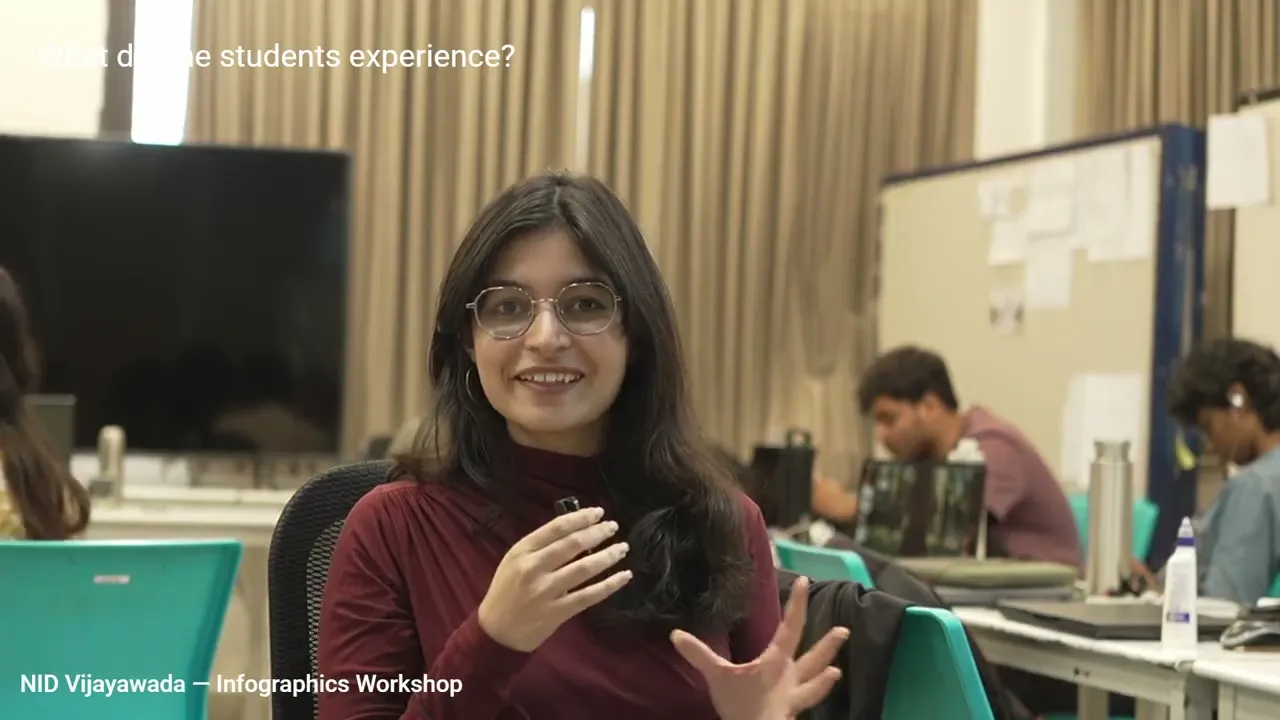
Learn from the Artist
Learn from the Artist

2022NID JorhatDesign Drawing
2022NID JorhatDesign Drawing
2022NID JorhatDesign Drawing
2022NID JorhatDesign Drawing
Anybody can draw – be confident, be imaginative
There is an age-old saying that knowledge grows at a double, or maybe triple, speed when people share knowledge with each other and collaborate. With vast corporate as well as teaching experience of 22+ years under my belt, I can vouch for this adage.
When we exchange knowledge, we not only learn what is already there, but also create together a new form of knowledge that further enriches the existing pool of our collective knowledge. And this process continues for generations.
Anybody can learn to draw. All you need is to trust yourself, and free your imagination and your pencil. In my class, students learn to believe that they all can do it. And it works wonders. My students’ smile says it all!
Responsive Infographics Workshop: NID Communications Design 2026
Courses at a glance
OBJECTIVE
- Conceptualise, visualise and communicate ideas through the study of various natural and man-made forms present in the surroundings
- Sharpen the power of observation, sense of proportion, space, relative proportion and dimensions of the subject
- Understand the environment as well as the interaction of human beings in relation with their environment
MODULES
- Basic understanding of the freehand perspective and object drawing
- Complex one-point, two-point and three-point perspectives of interior and exterior spaces
- Dimensional solids and objects
- Study of mapping and measurement of spaces in terms of relationships
- Nature drawing: (a) exploration of the tree, leaf and foliage;(b) landscapes
- Animal figure drawing: (a) blocks; (b) quick 1-5 min. sketches; (c) detailed study
- Human figure drawing: (a) exploration of the human form, limbs, torso, head, portrait and body parts with blocks; (b) understanding of form and relative proportions and details; (c) overall human form study with actual model, quick 1-5 min. sketches to enhance observation; (d) detailed study of the human activity pattern and depiction of essential action(s) to convey the process
- Urban sketches: (a) understanding of form and relative proportions and details; (b) measurement of spaces in terms of relationships; (c) cityscapes
COURSE INCLUDES
- Demonstration along with lectures, discussions and discourse
- Outdoor study sessions
- Group presentation and critiques
- Assignments and projects during non-contact hours
REQUIREMENTS
Pencil (6b, 8b etc.), charcoal, pen and ink, brush, dry pastel, and ball pen
OBJECTIVE
- To help students build their concept around colour and its application
- To build their power of observation, interpretation and skills for handling different colour techniques, transparent (watercolour) as well as opaque (oil, acrylic, poster colour etc.)
- To help them understand the relationship of colour with form
MODULES
- Colour theory (introduction of colour wheel)
- Different components and variations of colour: (a) tone, hue, tint and shade handling; (b) opaque and transparent colour; (c) relationships among colours
- Light and transparency: (a) light and shadow in observational drawing; (b) creating impressions of 2D and 3D forms. Principles of composition; brush control exercises plus mixed media
- Techniques in context: (a) exercises and demos to show how to use watercolour, oil, acrylic, poster colour, ink etc.; (b) exploring different colour application techniques and working with paper/canvas; (c) how to add a colour wash; (d) opaque and transparent techniques
- *Subject: Landscape, skies, water, still life/indoor, portraiture/figure, cityscape etc. Style: Imaginary, illustrative, narrative*
COURSE INCLUDES
- Demonstration along with lectures, discussions and discourse
- Outdoor sketching sessions
- Group presentation and critiques
- Assignments and projects during non-contact hours
REQUIREMENTS
Watercolour tube paints (artist quality), watercolour brushes, watercolour paper (200-300 GSM), palette; Oil tube paints (artist quality), oil brushes, canvas, turpentine oil; Acrylic paint, Poster colour, Pen and Ink
OBJECTIVE
- To build an understanding of Brand Identity, Brand Image, and Brand Positioning
- To comprehend the concept and use of packaging in various contexts
- To build an understanding of various brand strategies with reference to communication design
- To follow a design process to create a brand identity and packaging
MODULES
- Brand Identity / Brand Image / Brand Positioning
- Understanding of monogram, logotype, and symbol
- Target Market / Personas
- Aspects of Branding (Logo, Colour palette, Typography, Imagery, Packaging, Website design)
- Advertising campaigns consistent with the brand’s visual identity, including everything from the style of imagery to the colour palette and typography used in print or digital ads
- Demonstration along with lectures, discussions and discourse
- Outdoor sketching sessions
- Group presentation and critiques
- Assignments and projects during non-contact hours
COURSE INCLUDES
- Demonstration along with lectures, discussions and discourse
- Class assignments (group)
- Assignments and projects (individual) during non-contact hours
- Group presentation and critiques
REQUIREMENTS
Laptop, Adobe CC Suite, pen tab, internet, pencil, paper
OBJECTIVE
- Understand what an infographic is and what makes an effective infographic
- Understand the importance and purpose of infographics
- Learn the process of creating an infographic
MODULES
Basics of Infographics
•How to work within your limits
•How to work with a team (if you have one)
•Why infographics are effective
•Techniques for spotting data in stories
Charts
•Create bar, line, pie and flow charts using Adobe Illustrator, Flourish, Tableau, RAWGraphs and Datawrapper
•Types of data to use for each chart, including what to use and when
Maps
•Create maps using Adobe Illustrator
•Different ways of visualising data on maps, including what to use and when
Typography, Colour and Grid
•Typography, colour and an underlying grid structure for effective infographic design
Planning Your Infographic
•Steps in planning an effective infographic
•Plan an infographic (group + individual)
•Sketch a layout of your infographic
Executing Your Infographic
•Execute and build your infographic as a responsive, interactive web page using Framer
COURSE INCLUDES
- Demonstration along with lectures, discussions and discourse
- Class assignments (group)
- Assignments and projects (individual) during non-contact hours
- Group presentation and critiques
REQUIREMENTS
Laptop, Adobe CC Suite, Figma, Framer, Flourish, Tableau, RAWGraphs, Datawrapper, pen tab, internet, pencil, paper
OBJECTIVE
- To sensitise the students to a different visual order of text and image so as to convey and communicate the intended message effectively
- To encourage students to select the appropriate software and organise their materials such as text, images, illustrations, samples and diagrams to communicate effectively
- To familiarise students with the characteristics of the typefaces
- To sensitise them to typography as a means of communication and the basic principles of type hierarchy
MODULES
- The study of typographic elements and their inter-relationship (size, word spacing, kerning for easy readability and communication)
- Organising typographic information system of hierarchy, grid and layout, development of style sheets, synchronising image and text assignment on sample grids and layouts
- Exploring emotive interpretation of type and word to communicate
- Symbol design (pictogram, ideogram and icon)
- Logo theory and design
- Designing different types of marketing collaterals: (a) brochures, pamphlets, guides and promotional flyers; (b) visiting cards, name cards; (c) sales presentations; (d) pavilion design; (e) booth design; (f) standees, banners, posters and danglers; (g) webpage design; (h) white papers
COURSE INCLUDES
- Demonstration along with lectures, discussions and discourse
- Class assignments (group)
- Assignments and projects (individual) during non-contact hours
- Group presentation and critiques
REQUIREMENTS
Laptop, Adobe CC Suite, pen tab, internet, pencil, paper
OBJECTIVE
- To develop user-centred design thinking and build practical skills for designing intuitive, accessible, and visually compelling digital interfaces and experiences across web and mobile platforms.
MODULES
- Introduction to UX: principles, process and design thinking
- User research methods: interviews, surveys and observation
- Personas, user journeys and empathy mapping
- Information architecture and navigation design
- Wireframing: low and high fidelity
- Prototyping and interaction design
- Visual UI design: typography, colour, grids and components
- Usability testing and iteration
- Responsive design and accessibility principles
COURSE INCLUDES
- Studio critiques and peer reviews
- Live project briefs
- Prototype testing sessions
- Assignments and projects during non-contact hours
REQUIREMENTS
Framer (free account) for browser-ready UI design and responsive prototyping, sketchbook for ideation, basic understanding of visual design fundamentals
OBJECTIVE
- Understand typography as a visual language and tool for communication.
- Understand letterform structure, proportion, spacing and relationships.
- Explore the relationship between calligraphy, lettering and typography.
- Learn the process of creating and applying typography in visual communication.
MODULES
- Understanding Typography
- Calligraphy, Lettering and Typography
- Anatomy and Construction of Letterforms
- Type Classification and Characteristics
- Proportion, Width, Height and Negative Space
- Spacing, Kerning and Typographic Rhythm
- Typography, Grid and Visual Hierarchy
- Typography as Visual Communication
- From Hand-drawn Letterforms to Digital Type
- Typography in Posters, Identity and Digital Design
COURSE INCLUDES
- Demonstration along with lectures, discussions and discourse
- Calligraphy and letterform exercises
- Class assignments (group)
- Assignments and projects (individual) during non-contact hours
- Group presentation and critiques
REQUIREMENTS
Laptop, Adobe CC Suite, Illustrator, calligraphy pen/nib, ink, pencil, paper
OBJECTIVE
- Conceptualise, visualise and communicate ideas through the study of various natural and man-made forms present in the surroundings
- Sharpen the power of observation, sense of proportion, space, relative proportion and dimensions of the subject
- Understand the environment as well as the interaction of human beings in relation with their environment
MODULES
- Basic understanding of the freehand perspective and object drawing
- Complex one-point, two-point and three-point perspectives of interior and exterior spaces
- Dimensional solids and objects
- Study of mapping and measurement of spaces in terms of relationships
- Nature drawing: (a) exploration of the tree, leaf and foliage;(b) landscapes
- Animal figure drawing: (a) blocks; (b) quick 1-5 min. sketches; (c) detailed study
- Human figure drawing: (a) exploration of the human form, limbs, torso, head, portrait and body parts with blocks; (b) understanding of form and relative proportions and details; (c) overall human form study with actual model, quick 1-5 min. sketches to enhance observation; (d) detailed study of the human activity pattern and depiction of essential action(s) to convey the process
- Urban sketches: (a) understanding of form and relative proportions and details; (b) measurement of spaces in terms of relationships; (c) cityscapes
COURSE INCLUDES
- Demonstration along with lectures, discussions and discourse
- Outdoor study sessions
- Group presentation and critiques
- Assignments and projects during non-contact hours
REQUIREMENTS
Pencil (6b, 8b etc.), charcoal, pen and ink, brush, dry pastel, and ball pen
OBJECTIVE
- To help students build their concept around colour and its application
- To build their power of observation, interpretation and skills for handling different colour techniques, transparent (watercolour) as well as opaque (oil, acrylic, poster colour etc.)
- To help them understand the relationship of colour with form
MODULES
- Colour theory (introduction of colour wheel)
- Different components and variations of colour: (a) tone, hue, tint and shade handling; (b) opaque and transparent colour; (c) relationships among colours
- Light and transparency: (a) light and shadow in observational drawing; (b) creating impressions of 2D and 3D forms. Principles of composition; brush control exercises plus mixed media
- Techniques in context: (a) exercises and demos to show how to use watercolour, oil, acrylic, poster colour, ink etc.; (b) exploring different colour application techniques and working with paper/canvas; (c) how to add a colour wash; (d) opaque and transparent techniques
- *Subject: Landscape, skies, water, still life/indoor, portraiture/figure, cityscape etc. Style: Imaginary, illustrative, narrative*
COURSE INCLUDES
- Demonstration along with lectures, discussions and discourse
- Outdoor sketching sessions
- Group presentation and critiques
- Assignments and projects during non-contact hours
REQUIREMENTS
Watercolour tube paints (artist quality), watercolour brushes, watercolour paper (200-300 GSM), palette; Oil tube paints (artist quality), oil brushes, canvas, turpentine oil; Acrylic paint, Poster colour, Pen and Ink
OBJECTIVE
- To build an understanding of Brand Identity, Brand Image, and Brand Positioning
- To comprehend the concept and use of packaging in various contexts
- To build an understanding of various brand strategies with reference to communication design
- To follow a design process to create a brand identity and packaging
MODULES
- Brand Identity / Brand Image / Brand Positioning
- Understanding of monogram, logotype, and symbol
- Target Market / Personas
- Aspects of Branding (Logo, Colour palette, Typography, Imagery, Packaging, Website design)
- Advertising campaigns consistent with the brand’s visual identity, including everything from the style of imagery to the colour palette and typography used in print or digital ads
- Demonstration along with lectures, discussions and discourse
- Outdoor sketching sessions
- Group presentation and critiques
- Assignments and projects during non-contact hours
COURSE INCLUDES
- Demonstration along with lectures, discussions and discourse
- Class assignments (group)
- Assignments and projects (individual) during non-contact hours
- Group presentation and critiques
REQUIREMENTS
Laptop, Adobe CC Suite, pen tab, internet, pencil, paper
OBJECTIVE
- Understand what an infographic is and what makes an effective infographic
- Understand the importance and purpose of infographics
- Learn the process of creating an infographic
MODULES
Basics of Infographics
•How to work within your limits
•How to work with a team (if you have one)
•Why infographics are effective
•Techniques for spotting data in stories
Charts
•Create bar, line, pie and flow charts using Adobe Illustrator, Flourish, Tableau, RAWGraphs and Datawrapper
•Types of data to use for each chart, including what to use and when
Maps
•Create maps using Adobe Illustrator
•Different ways of visualising data on maps, including what to use and when
Typography, Colour and Grid
•Typography, colour and an underlying grid structure for effective infographic design
Planning Your Infographic
•Steps in planning an effective infographic
•Plan an infographic (group + individual)
•Sketch a layout of your infographic
Executing Your Infographic
•Execute and build your infographic as a responsive, interactive web page using Framer
COURSE INCLUDES
- Demonstration along with lectures, discussions and discourse
- Class assignments (group)
- Assignments and projects (individual) during non-contact hours
- Group presentation and critiques
REQUIREMENTS
Laptop, Adobe CC Suite, Figma, Framer, Flourish, Tableau, RAWGraphs, Datawrapper, pen tab, internet, pencil, paper
OBJECTIVE
- To sensitise the students to a different visual order of text and image so as to convey and communicate the intended message effectively
- To encourage students to select the appropriate software and organise their materials such as text, images, illustrations, samples and diagrams to communicate effectively
- To familiarise students with the characteristics of the typefaces
- To sensitise them to typography as a means of communication and the basic principles of type hierarchy
MODULES
- The study of typographic elements and their inter-relationship (size, word spacing, kerning for easy readability and communication)
- Organising typographic information system of hierarchy, grid and layout, development of style sheets, synchronising image and text assignment on sample grids and layouts
- Exploring emotive interpretation of type and word to communicate
- Symbol design (pictogram, ideogram and icon)
- Logo theory and design
- Designing different types of marketing collaterals: (a) brochures, pamphlets, guides and promotional flyers; (b) visiting cards, name cards; (c) sales presentations; (d) pavilion design; (e) booth design; (f) standees, banners, posters and danglers; (g) webpage design; (h) white papers
COURSE INCLUDES
- Demonstration along with lectures, discussions and discourse
- Class assignments (group)
- Assignments and projects (individual) during non-contact hours
- Group presentation and critiques
REQUIREMENTS
Laptop, Adobe CC Suite, pen tab, internet, pencil, paper
OBJECTIVE
- To develop user-centred design thinking and build practical skills for designing intuitive, accessible, and visually compelling digital interfaces and experiences across web and mobile platforms.
MODULES
- Introduction to UX: principles, process and design thinking
- User research methods: interviews, surveys and observation
- Personas, user journeys and empathy mapping
- Information architecture and navigation design
- Wireframing: low and high fidelity
- Prototyping and interaction design
- Visual UI design: typography, colour, grids and components
- Usability testing and iteration
- Responsive design and accessibility principles
COURSE INCLUDES
- Studio critiques and peer reviews
- Live project briefs
- Prototype testing sessions
- Assignments and projects during non-contact hours
REQUIREMENTS
Framer (free account) for browser-ready UI design and responsive prototyping, sketchbook for ideation, basic understanding of visual design fundamentals
OBJECTIVE
- Understand typography as a visual language and tool for communication.
- Understand letterform structure, proportion, spacing and relationships.
- Explore the relationship between calligraphy, lettering and typography.
- Learn the process of creating and applying typography in visual communication.
MODULES
- Understanding Typography
- Calligraphy, Lettering and Typography
- Anatomy and Construction of Letterforms
- Type Classification and Characteristics
- Proportion, Width, Height and Negative Space
- Spacing, Kerning and Typographic Rhythm
- Typography, Grid and Visual Hierarchy
- Typography as Visual Communication
- From Hand-drawn Letterforms to Digital Type
- Typography in Posters, Identity and Digital Design
COURSE INCLUDES
- Demonstration along with lectures, discussions and discourse
- Calligraphy and letterform exercises
- Class assignments (group)
- Assignments and projects (individual) during non-contact hours
- Group presentation and critiques
REQUIREMENTS
Laptop, Adobe CC Suite, Illustrator, calligraphy pen/nib, ink, pencil, paper
OBJECTIVE
- Conceptualise, visualise and communicate ideas through the study of various natural and man-made forms present in the surroundings
- Sharpen the power of observation, sense of proportion, space, relative proportion and dimensions of the subject
- Understand the environment as well as the interaction of human beings in relation with their environment
MODULES
- Basic understanding of the freehand perspective and object drawing
- Complex one-point, two-point and three-point perspectives of interior and exterior spaces
- Dimensional solids and objects
- Study of mapping and measurement of spaces in terms of relationships
- Nature drawing: (a) exploration of the tree, leaf and foliage;(b) landscapes
- Animal figure drawing: (a) blocks; (b) quick 1-5 min. sketches; (c) detailed study
- Human figure drawing: (a) exploration of the human form, limbs, torso, head, portrait and body parts with blocks; (b) understanding of form and relative proportions and details; (c) overall human form study with actual model, quick 1-5 min. sketches to enhance observation; (d) detailed study of the human activity pattern and depiction of essential action(s) to convey the process
- Urban sketches: (a) understanding of form and relative proportions and details; (b) measurement of spaces in terms of relationships; (c) cityscapes
COURSE INCLUDES
- Demonstration along with lectures, discussions and discourse
- Outdoor study sessions
- Group presentation and critiques
- Assignments and projects during non-contact hours
REQUIREMENTS
Pencil (6b, 8b etc.), charcoal, pen and ink, brush, dry pastel, and ball pen
OBJECTIVE
- To help students build their concept around colour and its application
- To build their power of observation, interpretation and skills for handling different colour techniques, transparent (watercolour) as well as opaque (oil, acrylic, poster colour etc.)
- To help them understand the relationship of colour with form
MODULES
- Colour theory (introduction of colour wheel)
- Different components and variations of colour: (a) tone, hue, tint and shade handling; (b) opaque and transparent colour; (c) relationships among colours
- Light and transparency: (a) light and shadow in observational drawing; (b) creating impressions of 2D and 3D forms. Principles of composition; brush control exercises plus mixed media
- Techniques in context: (a) exercises and demos to show how to use watercolour, oil, acrylic, poster colour, ink etc.; (b) exploring different colour application techniques and working with paper/canvas; (c) how to add a colour wash; (d) opaque and transparent techniques
- *Subject: Landscape, skies, water, still life/indoor, portraiture/figure, cityscape etc. Style: Imaginary, illustrative, narrative*
COURSE INCLUDES
- Demonstration along with lectures, discussions and discourse
- Outdoor sketching sessions
- Group presentation and critiques
- Assignments and projects during non-contact hours
REQUIREMENTS
Watercolour tube paints (artist quality), watercolour brushes, watercolour paper (200-300 GSM), palette; Oil tube paints (artist quality), oil brushes, canvas, turpentine oil; Acrylic paint, Poster colour, Pen and Ink
OBJECTIVE
- To build an understanding of Brand Identity, Brand Image, and Brand Positioning
- To comprehend the concept and use of packaging in various contexts
- To build an understanding of various brand strategies with reference to communication design
- To follow a design process to create a brand identity and packaging
MODULES
- Brand Identity / Brand Image / Brand Positioning
- Understanding of monogram, logotype, and symbol
- Target Market / Personas
- Aspects of Branding (Logo, Colour palette, Typography, Imagery, Packaging, Website design)
- Advertising campaigns consistent with the brand’s visual identity, including everything from the style of imagery to the colour palette and typography used in print or digital ads
- Demonstration along with lectures, discussions and discourse
- Outdoor sketching sessions
- Group presentation and critiques
- Assignments and projects during non-contact hours
COURSE INCLUDES
- Demonstration along with lectures, discussions and discourse
- Class assignments (group)
- Assignments and projects (individual) during non-contact hours
- Group presentation and critiques
REQUIREMENTS
Laptop, Adobe CC Suite, pen tab, internet, pencil, paper
OBJECTIVE
- Understand what an infographic is and what makes an effective infographic
- Understand the importance and purpose of infographics
- Learn the process of creating an infographic
MODULES
Basics of Infographics
•How to work within your limits
•How to work with a team (if you have one)
•Why infographics are effective
•Techniques for spotting data in stories
Charts
•Create bar, line, pie and flow charts using Adobe Illustrator, Flourish, Tableau, RAWGraphs and Datawrapper
•Types of data to use for each chart, including what to use and when
Maps
•Create maps using Adobe Illustrator
•Different ways of visualising data on maps, including what to use and when
Typography, Colour and Grid
•Typography, colour and an underlying grid structure for effective infographic design
Planning Your Infographic
•Steps in planning an effective infographic
•Plan an infographic (group + individual)
•Sketch a layout of your infographic
Executing Your Infographic
•Execute and build your infographic as a responsive, interactive web page using Framer
COURSE INCLUDES
- Demonstration along with lectures, discussions and discourse
- Class assignments (group)
- Assignments and projects (individual) during non-contact hours
- Group presentation and critiques
REQUIREMENTS
Laptop, Adobe CC Suite, Figma, Framer, Flourish, Tableau, RAWGraphs, Datawrapper, pen tab, internet, pencil, paper
OBJECTIVE
- To sensitise the students to a different visual order of text and image so as to convey and communicate the intended message effectively
- To encourage students to select the appropriate software and organise their materials such as text, images, illustrations, samples and diagrams to communicate effectively
- To familiarise students with the characteristics of the typefaces
- To sensitise them to typography as a means of communication and the basic principles of type hierarchy
MODULES
- The study of typographic elements and their inter-relationship (size, word spacing, kerning for easy readability and communication)
- Organising typographic information system of hierarchy, grid and layout, development of style sheets, synchronising image and text assignment on sample grids and layouts
- Exploring emotive interpretation of type and word to communicate
- Symbol design (pictogram, ideogram and icon)
- Logo theory and design
- Designing different types of marketing collaterals: (a) brochures, pamphlets, guides and promotional flyers; (b) visiting cards, name cards; (c) sales presentations; (d) pavilion design; (e) booth design; (f) standees, banners, posters and danglers; (g) webpage design; (h) white papers
COURSE INCLUDES
- Demonstration along with lectures, discussions and discourse
- Class assignments (group)
- Assignments and projects (individual) during non-contact hours
- Group presentation and critiques
REQUIREMENTS
Laptop, Adobe CC Suite, pen tab, internet, pencil, paper
OBJECTIVE
- To develop user-centred design thinking and build practical skills for designing intuitive, accessible, and visually compelling digital interfaces and experiences across web and mobile platforms.
MODULES
- Introduction to UX: principles, process and design thinking
- User research methods: interviews, surveys and observation
- Personas, user journeys and empathy mapping
- Information architecture and navigation design
- Wireframing: low and high fidelity
- Prototyping and interaction design
- Visual UI design: typography, colour, grids and components
- Usability testing and iteration
- Responsive design and accessibility principles
COURSE INCLUDES
- Studio critiques and peer reviews
- Live project briefs
- Prototype testing sessions
- Assignments and projects during non-contact hours
REQUIREMENTS
Framer (free account) for browser-ready UI design and responsive prototyping, sketchbook for ideation, basic understanding of visual design fundamentals
OBJECTIVE
- Understand typography as a visual language and tool for communication.
- Understand letterform structure, proportion, spacing and relationships.
- Explore the relationship between calligraphy, lettering and typography.
- Learn the process of creating and applying typography in visual communication.
MODULES
- Understanding Typography
- Calligraphy, Lettering and Typography
- Anatomy and Construction of Letterforms
- Type Classification and Characteristics
- Proportion, Width, Height and Negative Space
- Spacing, Kerning and Typographic Rhythm
- Typography, Grid and Visual Hierarchy
- Typography as Visual Communication
- From Hand-drawn Letterforms to Digital Type
- Typography in Posters, Identity and Digital Design
COURSE INCLUDES
- Demonstration along with lectures, discussions and discourse
- Calligraphy and letterform exercises
- Class assignments (group)
- Assignments and projects (individual) during non-contact hours
- Group presentation and critiques
REQUIREMENTS
Laptop, Adobe CC Suite, Illustrator, calligraphy pen/nib, ink, pencil, paper
2:44:21 PM - 22 Aug 2026
2026 All right reserved. Swarup dandapat
Any reproduction, distribution, or use of the materials without permission is prohibited.
2026 All right reserved. Swarup dandapat
Any reproduction, distribution, or use of the materials without permission is prohibited.